
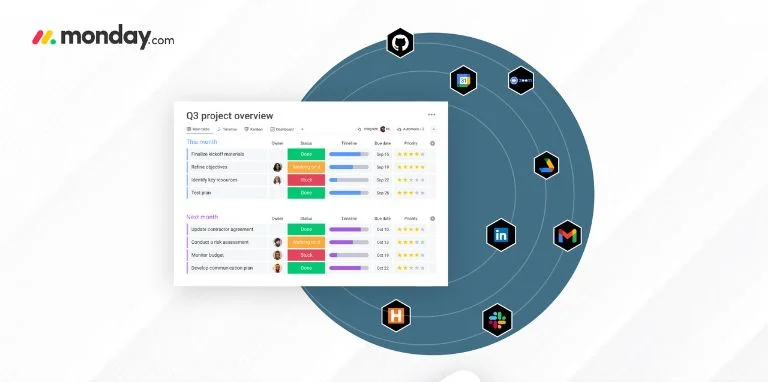
monday.com is now one of the most renowned project management tools that teams can use to streamline their workflows, yet its real strength is its integration capabilities with the tools you are already using. monday.com integrations can help you get rid of data siloing, manual input and develop smooth automated workflows that will help your team to save hours and hours of their week.
Regardless of whether you are dealing with project management, sales lead tracking, or marketing campaign management, the integrations can change the way your team works together and completes the work. This tutorial is going to guide you through the required monday.com integrations, and show you exactly how you can automate your processes to make them as efficient as possible.
Understanding monday.com Workflow Automation
It is necessary to learn how the automation system of monday.com works before proceeding to particular integrations. The platform is based on a powerful and at the same time a simple framework that consists of three components:
Your automation is brought about by the events. This might be when the status of a task is changed, a new item is created or a certain date comes. To use an example, you might have a project status that will be changed to Complete and this will be the trigger of your next automated action.
Under conditions, logic can be applied in your automations. They can assist you with designing more advanced workflows by specifying the timing of some actions. You can make a condition, which states, when the priority is high and the deadline is less than 3 days, then send an urgent notification.
The actions are what takes place in your trigger and conditions. This may include sending mails, generating new tasks, updating status columns, and informing the team members in different ways.
This framework enables you to build sophisticated automated workflows without any knowledge of coding, and this is why it is usable by teams with varying levels of technical expertise.
Essential Communication Integrations
Slack Integration
Slack integration is one of the most popular connections available in monday.com, and there is a reason why. Organizations that combine the two platforms can develop effective notification systems to ensure that everybody is informed without spamming their mailbox.
Using the monday.com Slack integration, it is possible to automatically notify a particular channel when a project status has changed, when a deadline is approaching, or a new task has been assigned. It is two-way integration, as well, you can also create monday.com items out of Slack conversations, so crucial discussions do not get lost in chat threads.
In order to get the optimum out of this integration, think of having various notification rules on various types of projects. The marketing campaigns are able to raise alerts within your marketing channel and the development activities are able to raise alerts within your engineering team. Such a specific method avoids the problem of notification fatigue and makes sure that the correct individuals are informed.
Microsoft Teams Integration
Microsoft Teams allows companies to use the Teams integration, which offers the same capabilities as Slack, but in the Microsoft ecosystem. It is also possible to send automated messages to specific channels when the workflows achieve a milestone or when a problem has occurred and needs addressing.
Teams integration is especially useful to companies that have already committed to the Microsoft toolset since it will provide a smooth experience between your project management and communication systems.
Email Automation Integrations
Gmail and Outlook Integrations
Email is a vital communication tool to most companies, and the integration of both Gmail and Outlook will enable you to close the communication gap between your email activities and project management processes.
With such integrations, you can set up automated emails triggered by some conditions being met in your monday.com boards. As an example, you may create a follow-up email automation that will be sent to the clients once a project gets a status of Ready to Review, or inform team members about urgent tasks assigned to them via email.
The email integrations are two-way as well, so you can turn emails into monday.com tasks, so that you do not lose important requests in your cluttered inbox. It can be particularly useful in the case of customer service departments or project managers where the task requests are emailed to them.
File Management and Collaboration
Dropbox Integration
The Dropbox integration makes file handling much easier as you can add cloud-hosted files to monday.com items. This prevents the re-downloading and re-uploading of files and saves time, and also ensures that all the people are in possession of recent versions.
It is also possible to establish automations that would generate a new monday.com item when a file is added to a particular Dropbox folder. It is especially helpful in creative teams where new assets should start a certain workflow or in a document-intensive process where uploading a file should start a review process.
Google Drive Integration
Similar to Dropbox, files and collaboration can be done with the Google drive integration. Google Drive files can be attached to monday.com items, and you can even edit the documents without leaving the project management space.
When combined with the Google productivity tools, it is particularly strong, forming a full workflow in which documents can be created, projects managed and teams collaborate.
Sales and Marketing Automation
Salesforce Integration (Beta)
The monday.com integration assists sales teams that utilize Salesforce to develop a robust connection between your CRM information and project management activities. The version of this integration that is currently available is in beta, and it allows you to create, update, and retrieve Salesforce objects in monday.com.
The integration is especially beneficial to the sales operations departments who require coordination between sales and project delivery. The salesforce has the ability to initiate the workflows of projects in monday.com automatically when a deal closes, which ensures the handoff between the sales and delivery teams.
Mailchimp Integration
The Mailchimp integration enables the marketing teams to coordinate email campaigns with the remaining processes of the marketing project. You may monitor the campaign performance right in monday.com and generate the subsequent actions depending on the campaign outcomes.
This integration is particularly valuable when a marketing team is operating a multi-channel campaign that is complex in nature and email marketing is only one of the elements of a bigger concerted action.
Advanced Integration Capabilities
Zapier: The Universal Connector
Although monday.com has native integrations with most of the popular tools, Zapier allows connecting to more than 4,000 applications. This is why Zapier integration can be considered one of the most effective automation tools of your workflows.
Zapier enables you to create multi-step automations which may be inter-application. To illustrate, one of the workflows you might want to create is a new lead in your CRM that would trigger a monday.com task, a Slack message, adding the lead to a marketing email campaign, and a follow-up appointment in your calendar.
The best thing about Zapier is that you should start with simple workflows and then gradually start to build more complicated workflows as you get more comfortable. Inspire Your Employees
Best Practices for Implementation
Start Small and Scale Gradually
When you want to apply monday.com integrations, do not feel the urge to automate all your processes simultaneously. Rather, look at the most time-wasting manual procedures in your team and begin there. That way, you will be able to get used to the system, streamline your processes, and demonstrate your value before taking on more complex automations.
Map Your Processes First
You will have to map your existing working processes before any integrations can be made. Learning the flow and process of information in your organization will lead to the best integration points and prevent the development of confusing or redundant automations.
Document what you are doing now by using flow charts or even just written down documents. It will also be useful in training team members and perfecting your automations as time goes by.
Involve Your Team
Workflow automation will only be successful when the individuals who will be using the system on a day-to-day basis buy into the process. Engage the most important team members in the process of planning and ask them to provide feedback on the pain points and desired results.
You could also consider having workflow champions in each department and can assist in implementation and become the go-to person by his or her colleagues. Such a decentralized change management may lead to higher adoption and long term success.
Monitor and Optimize
Automation of workflow is not a set it and forget it. You should review your automations every now and then to ensure that they are still addressing the requirements of your team and that they are delivering the value that is expected. Your business processes should be dynamic as well as your automations.
Create a review system that has a regular meeting to assess the effectiveness of the automations that are being done and those that might need to be changed. Be flexible and be ready to listen to what the team is saying and be ready to change or eliminate automations that are not adding value.
Transform Your Team’s Productivity Today
monday.com integrations give you a good opportunity to automate your work, reduce the number of manual activities, and improve teamwork. Integrating your favorite tools and automating the routine work will free up your team so that they can work on the work that is important.
The trick is to start with a definite goal, make change step by step, and refine your plan based on the experience of its application. By having the right integrations and automations, your monday.com workspace can be the central hub that can make your team more productive and lead to better business results.
Start with the most time-wasting activities of your team and consider what monday.com integrations can be used to get rid of these issues. The time you spend now in straightened out and automated procedures will be worth it later when you and your people are not so busy.
FAQs:
1. What are monday.com integrations and why should my team use them?
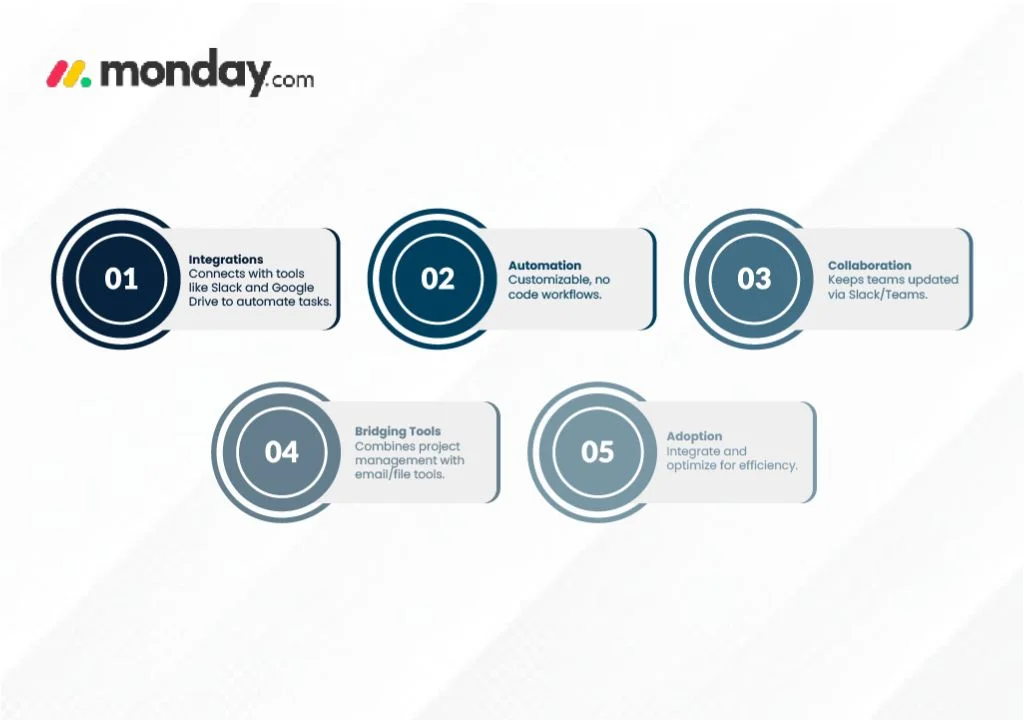
monday.com integrations connect the platform with other tools your team already uses (such as Slack, Microsoft Teams, Gmail, Outlook, Dropbox, Google Drive, Salesforce, Mailchimp, and more). These integrations minimize manual data entry, eliminate data silos, and help automate repetitive tasks, freeing up your team to focus on high-impact work.
2. How does monday.com’s automation framework work?
Automations in monday.com function through a combination of triggers (events that start the process), conditions (logic to control when automations run), and actions (what actually happens, like notifications or task creation). This no-code framework empowers teams to build customized, automated workflows tailored to their needs, regardless of technical expertise.
3. What communication tools can monday.com integrate with, and how do these benefit team collaboration?
monday.com natively integrates with Slack and Microsoft Teams, allowing you to automatically send updates, notifications, or create tasks based on project progress. These integrations ensure your team never misses important updates and can quickly respond to changes—without being overwhelmed by irrelevant notifications.
4. Can monday.com help bridge the gap between project management and email or file management?
Yes! With Gmail and Outlook integrations, you can automate sending emails or turn emails into monday.com tasks. Dropbox and Google Drive integrations let you attach, access, and edit cloud-hosted files directly within monday.com items, ensuring everyone always works from the latest version without switching platforms.
5. How do I get started with monday.com integrations and ensure successful adoption?
Begin by identifying your team’s most time-consuming manual tasks and integrate the tools that will have the biggest impact. Map your current workflows, involve your team in selecting and testing integrations, and regularly review and optimize your setup based on team feedback. Start small, scale gradually, and refine integrations as your needs evolve to see the greatest productivity improvements.